Events are difficult to plan. Lauren and her team perfected the process at Downey Street Events for a set of clients who could afford the full service. With the advent of AI, they realized they could build an online planning platform that mirrored the professional experience for a fraction of the cost, for everyone.
Lauren conceived and directed Design League’s product from day one. She recruited, led, and mentored a team of engineers, a product designer, and a marketing associate to translate a complex creative and planning process into an approachable, and ultimately scalable, web experience.
Finding a visual direction
DISCOVERY / SEARCH / FILTERING
A more intuitive way to find inspiration.
Lauren designed a discovery experience built around how people actually think about an event: color, mood, style, and visual details. A 10,000+ proprietary image library and custom filters help users move from a broad idea toward a more personal direction. In the process Design League collects important data about each user’s preferences.

FROM THE SKETCHBOOK

Sound available
The demo follows the gallery’s color and style filters as the inspiration changes.
The system behind the images
INFORMATION ARCHITECTURE / PERSONALIZATION / PROPRIETARY DATA SET
A shared visual language, from the first question to the right image.
Lauren translated years of event-design expertise into a photo-coding framework, tagging each image by color, style, event detail, and vendor. The onboarding quiz captures each user’s preferences in that same visual language. Connecting the two turns a curated image library into personalized inspiration and marketplace recommendations.
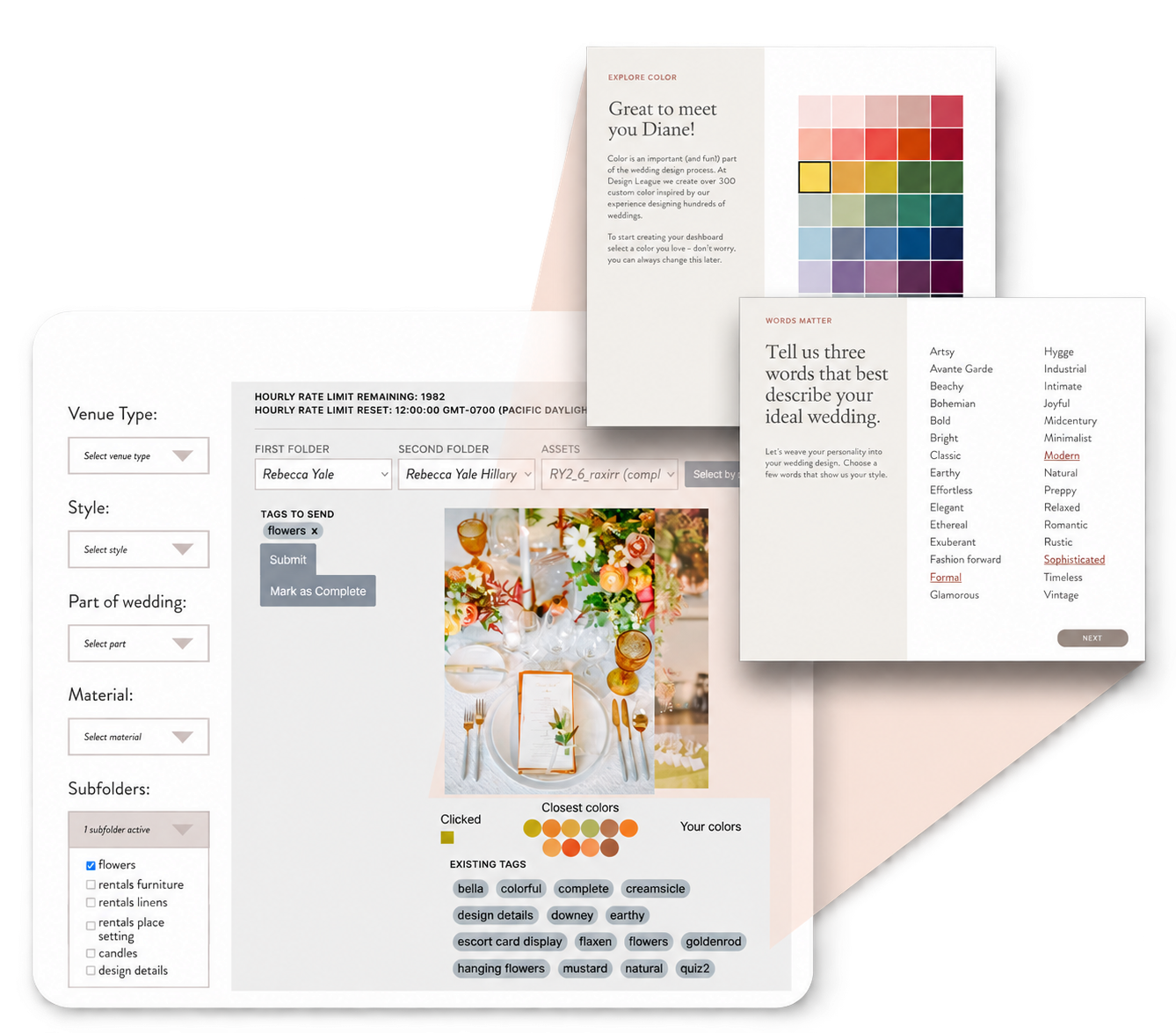
Sound available
The demo shows the internal tagging workflow that gives each image invaluable context.
Personalizing the experience
ONBOARDING / VISUAL QUIZ / PERSONALIZATION
An enticing visual quiz experience
Lauren designed an onboarding experience that helped users express their taste through images rather than requiring a design vocabulary. The quiz moved from colors and palettes to favorite photographs, descriptive words, and typography, alongside practical details about the event. Each choice connected with the photo-coding framework to build a personal style profile and guide more relevant inspiration and recommendations.
The visual quiz moves through colors, palettes, inspiration images, descriptive words, and fonts to establish a personal style.
From inspiration to a design board
INTERACTION DESIGN / CREATIVE TOOLS
Making the leap from collecting to creating.
Lauren conceived a design-board experience that transforms saved inspiration photos into a professional mood board. Images become a visual story, giving users a place to explore a direction and communicate how an event should look and feel.
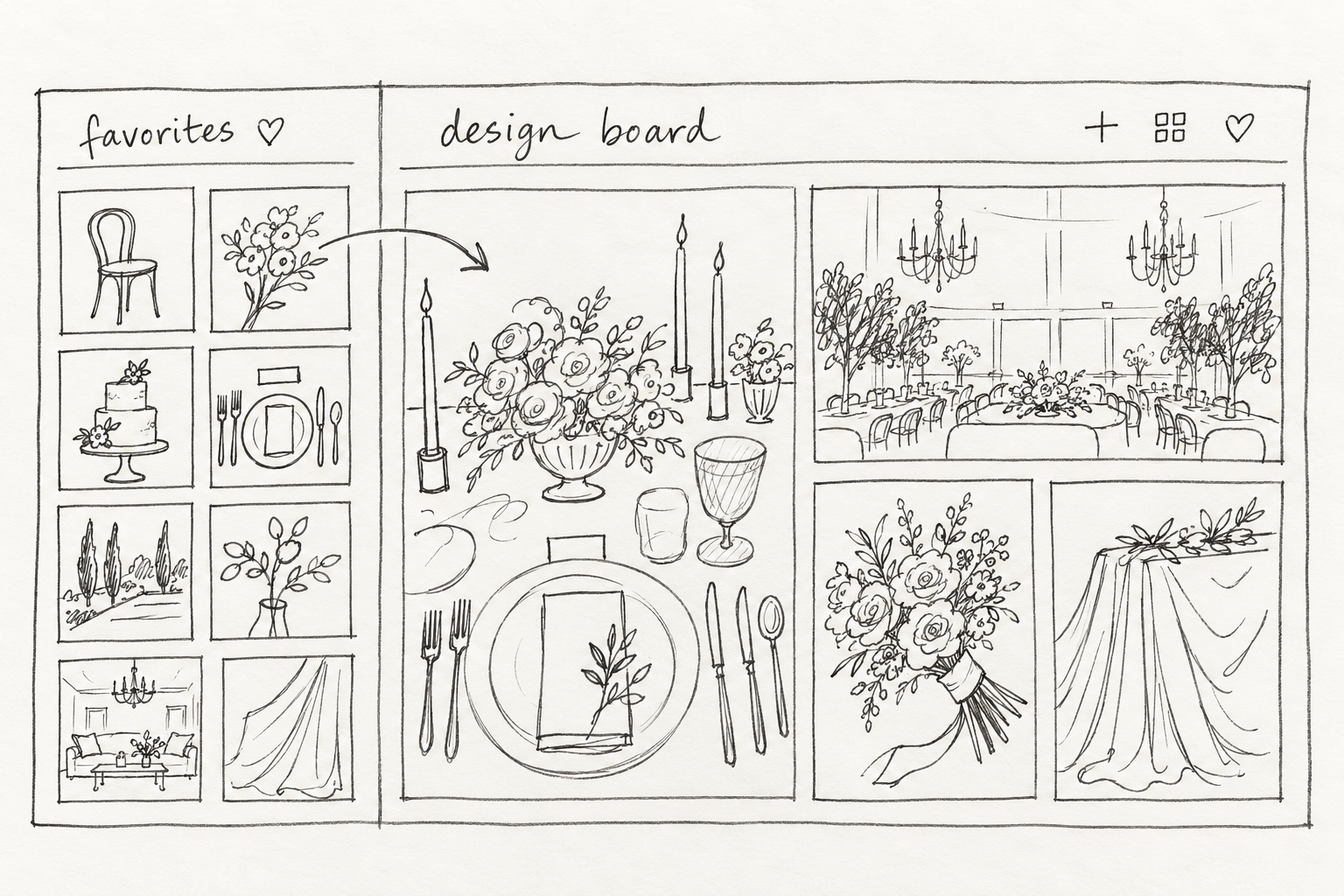
FROM THE SKETCHBOOK
Sound available
The demo moves from the gallery into the design deck and its inspiration boards.
From design to execution
PRODUCT STRATEGY / MARKETPLACE / VENDOR MATCHING
Closing the gap between an idea and reality.
Design League connected inspirational imagery with the vendors, rentals, and products needed to bring the concepts to life. The experience offers practical next steps in the same visual journey, helping users explore how a design could become a real event.
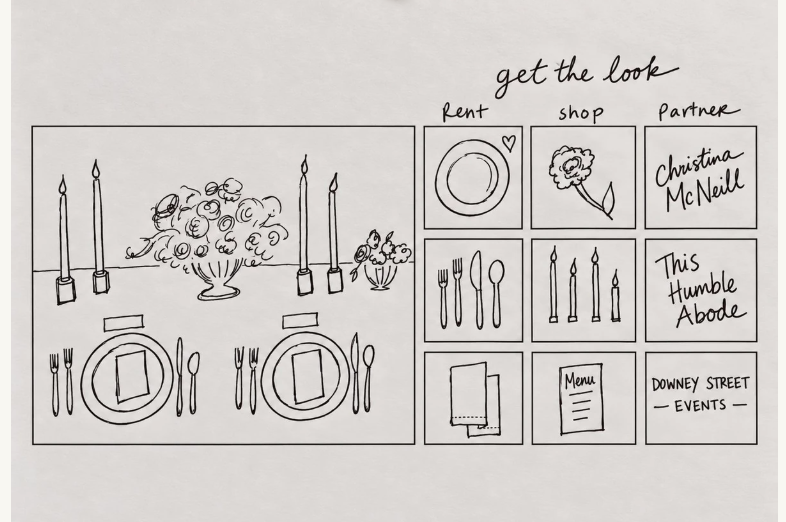
THE ORIGINAL SKETCH
Sound available
The demo explores the vendor, rental, and shop views connected to an inspiration image.
Finding the right creative partners
GUIDED FLOWS / PERSONALIZATION / VENDOR MATCHING
Better matches begin with better questions.
Design League brought the perspective of an experienced planner to the product vision, connecting clients with the right fit vendors. Guided questions turn preferences into a clear brief; vendor profiles organize services, pricing, and style. Together, they help both sides assess fit and start a more useful conversation.
The demo follows a photographer-matching questionnaire, from event requirements to submitting a request.
An AI powered budget
AI EXPERIENCES / PRODUCT STRATEGY / DATA VISUALIZATION
Less data entry. More clarity.
Lauren used AI to turn the administrative work of event planning into an approachable and enjoyable experience. Vendor documents become the starting point for an AI-assisted budget, with missing details flagged for review. Clear totals and editable amounts keep users in control as their plans evolve.
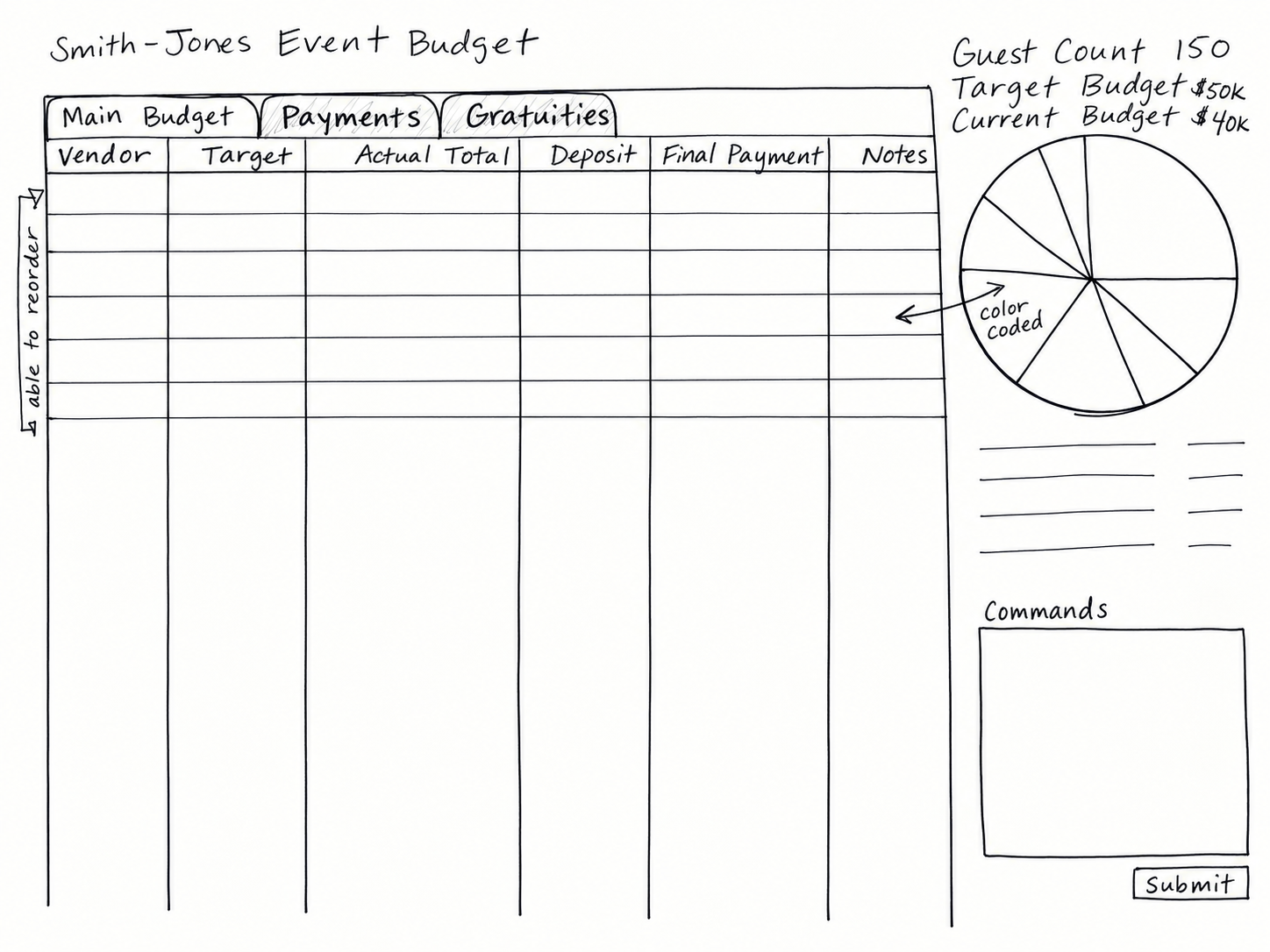
THE ORIGINAL SKETCH
Upload documents, see the full budget overview, compare target and actual spending, and adjust budget details.
Project credits
The people behind
the work.
Co-founder & CEO
Creative DirectionCo-founder & COO
Lead Developer
Software Developer
Lead Product Designer
Software Developer